
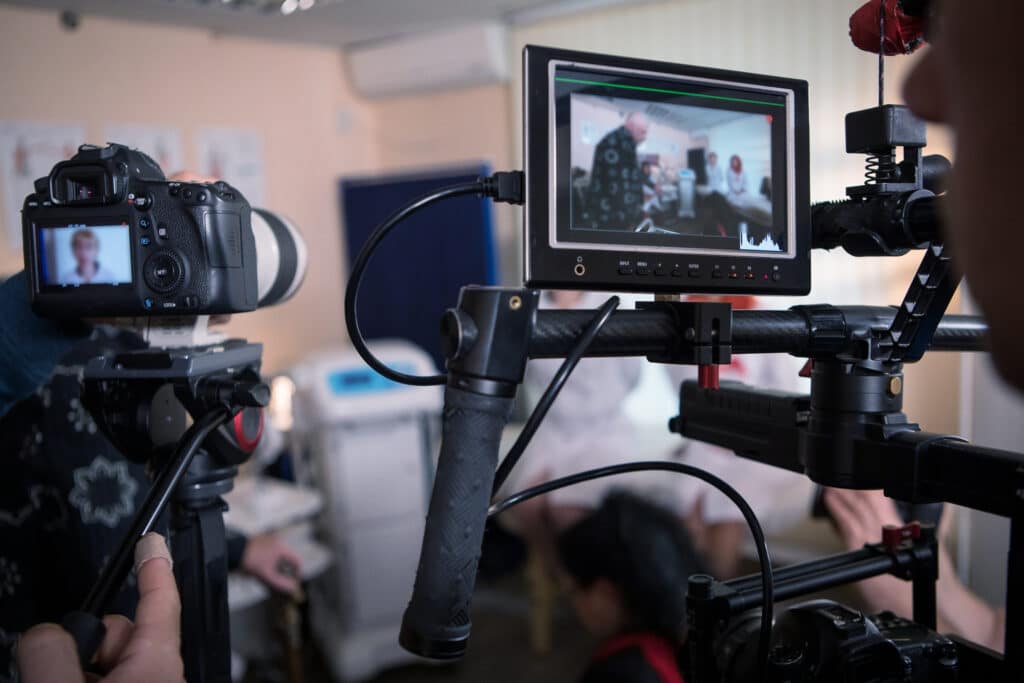
B2B purchases rarely come down to one person or one conversation. A product that solves a real operational problem still has to be explained to a technical evaluator, a department head, a procurement team, and someone in finance, most of whom will never sit in on the original sales call. Product demo videos give a company a way to consistently show exactly how a product works to everyone involved in that decision.
Producing one involves considerably more than pointing a camera at a product and listing its features. Professional product demo video production combines audience research, scripting, cinematography, motion graphics, and editing to turn a complex product into something a viewer can understand in a few minutes. In this blog, we discuss why a product demo video is important for B2B companies, the process it requires for production, and whether you should hire the pros or do it yourself.
Product Demo Videos: The Strategic Tool for B2B Sales
B2B buyers are evaluating a purchase that they will have to justify internally. Specification sheets and feature lists answer some of their questions, but they rarely communicate how a product behaves in practice—video does. Watching a machine run, an interface respond, or a component fit into an existing workflow answers questions that written copy leaves open.
That makes demo videos useful in four distinct ways:
- They travel where your sales team cannot. When an evaluator forwards a link to three colleagues, each of them receives the same clear, accurate explanation rather than a secondhand summary. That consistency matters in longer sales cycles where the message can drift as it moves through an organization.
- They shorten the groundwork on sales calls. Representatives who deliver the same explanation dozens of times each month can let the video handle the foundational walkthrough and spend live conversations on the specifics of a prospect’s situation.
- They produce better-prepared prospects. Buyers who arrive at a call having already watched the demo tend to ask sharper questions and move through the process faster.
- They keep working after the deal closes. The same footage that helped a prospect understand a product can support customer onboarding, internal training, trade show displays, and distributor education.
Product Demo Video Production: The 6-Step Process
The most effective product demo videos feel straightforward to watch, which is usually a sign of how much planning went into them first. The goal is not to document every feature. It is to identify what a specific audience needs to see, then build a video that shows those things clearly and reflects well on the brand behind the product. Here’s the framework you can follow when producing product demo videos:
1. Discovery and Pre-Production
Every project starts with understanding the product, the buyer, and the video’s purpose. Is it meant to generate interest at the top of the funnel? Support a technical evaluation late in the process? Train new users after purchase? A video built for a curious first-time visitor looks very different from one built for an engineer comparing tolerances.
This stage also establishes the practical details, including how the product should be handled, what can be filmed on location versus in a controlled environment, which team members should be present, and which safety or confidentiality considerations apply on a production floor. A production team that asks these questions early avoids discovering them on the day of filming.
2. Scripting the Demonstration
Scripting is where most demo videos succeed or fail. The temptation is to cover everything the product does. The better approach is to choose a small number of capabilities that matter most to the target buyer and give each one enough time to land.
A strong product demo script generally includes:
- The problem the product solves, established early enough that the viewer knows why the demo is worth their time.
- A short list of capabilities, selected for the target buyer rather than pulled from the full feature set.
- A clear walkthrough of how the product works, sequenced the way a user would actually encounter it.
- The outcome the viewer can expect, stated plainly rather than implied.
- Technically accurate language, reviewed by the people who know the product best before anything is filmed.
Getting the language right in advance is far less expensive than discovering a mistake during editing.
3. Planning the Visual Approach
Once the script is settled, the production team decides how each moment will actually be shown. Physical products may require macro photography to capture fine detail, motion control for repeatable camera moves, or a clean studio setup to remove visual distractions. Equipment installed in a facility may need to be filmed in place, which introduces lighting and sound challenges that require planning rather than improvisation.
Software and connected products often combine live footage with high-resolution screen capture, so viewers see both the person using the product and what is happening on the display. Shot lists, storyboards, and a filming schedule come out of this stage, so the production day runs to plan.
4. Filming the Product
On production day, attention turns to image and audio quality. Controlled lighting reveals a product’s materials, finish, and construction rather than flattening them. Deliberate framing keeps the viewer’s eye on the part of the product being discussed. Clean audio captures narration or on-camera dialogue without the background noise that a shop floor or office environment introduces.
Product demo videos also tend to require more coverage than expected. Wide shots establish scale and context, medium shots follow a process, and close-ups show the detail that makes a claim credible. Capturing multiple angles and extra takes of key actions gives editors the flexibility to assemble a sequence that reads clearly, and it prevents a return visit when the edit reveals a gap.
5. Motion Graphics and Animation
Some of what makes a B2B product valuable cannot be captured on film. Internal mechanisms, data flowing between systems, chemical processes, and performance figures all live outside the reach of a camera. This is where animation and motion graphics do the work: exploded views showing how components assemble, cutaways revealing what happens inside a housing, callouts labeling parts as they appear, and on-screen figures reinforcing a specification.
Used well, these elements clarify rather than decorate. They also give a product demo video, a considerable advantage over an in-person demonstration, which can only show the outside of the product.
6. Post-Production
Post-production assembles everything into a finished piece of branded content. Editors build the sequence, adjust pacing so complex steps get the time they need, and layer in narration, music, graphics, and captions. Color correction gives the footage a consistent look, and audio mixing keeps narration clear against music and product sound.
Brand consistency gets attention here as well. Typography, color, logo placement, and tone should match a company’s website and other marketing materials so the demo feels like part of a larger presence rather than a one-off. Captions are worth including as a matter of course, since a significant share of B2B viewers watch with sound off.
Getting More Out of a Finished Product Demo Video
The versatility of demo content is one of its strongest arguments. A full-length demo can anchor a product page or support a technical evaluation, while shorter cuts work for paid advertising, social media, and email campaigns. Individual clips can be pulled for sales presentations, and silent looping edits work well on trade show screens.
Planning for these uses before filming makes them far easier to produce. Capturing extra footage, framing certain shots for vertical crops, and keeping graphics editable means that a single production day can yield a library of assets rather than a single video. Companies with multiple products or audiences often build out that library over time, giving sales teams the right video for each conversation. Demo videos also pair naturally with other content, such as commercials, which build broad awareness, while a demo answers the detailed questions that follow.
Hire vs. DIY: Product Demo Video Production Process
A smartphone can record a product in use, and for a quick internal clip, that may be all you need. But a demo video is often the first detailed look a prospect gets at your product, and its quality says something about the company behind it. Here is how the two approaches compare across the production process:
| Stage | DIY | Professional Production Team |
| Planning | Usually filmed as availability allows | Audience, purpose, and shot list are defined before filming |
| Scripting | Often improvised on camera | Written, then reviewed for technical accuracy |
| Lighting & Camera | Available light and a single angle | Controlled lighting with wide, medium, and detail coverage |
| Audio | On-device mic, ambient facility noise | Dedicated mics and a mixed, balanced final track |
| Hard-to-Film Subjects | Reflective, transparent, or internal parts are a real obstacle | Handled with lighting technique, animation, and cutaways |
| Filming on Site | Can interrupt operations | Scheduled and staged around an active facility |
| Branding | Inconsistent with other marketing materials | Typography, color, and tone matched to your brand |
| Deliverables | One version, one platform | Multiple cuts for web, social, sales, and trade shows |
| Updates | Often means reshooting from scratch | Editable project files make revisions straightforward |
Working with a full-service video production partner in Utah means concept development, scripting, filming, animation, and final delivery are handled by one team, which keeps the project moving and the finished product consistent.
Create Product Demo Videos With Avalanche Studios
Your product already does the work. A demo video makes sure your buyers can see it.
Avalanche Studios provides product demo video production for B2B companies that need complex products explained clearly and presented well. Our team handles the full process, from discovery and scripting through filming, motion graphics, editing, and delivery of every format you need for your website, sales team, advertising, trade shows, and customer onboarding.
If you are looking for full-service video production in Utah and want demo content that holds up to a technical audience, request a quote from Avalanche Studios today, and let’s talk about your product.